What a hardware wallet does not protect you from
A hardware wallet keeps your private key off an internet-connected machine. That solves one class of loss completely and several others not at all — and the gap is where most people are still exposed.
Short answer
A hardware wallet protects your private key from malware on your computer. It does not protect you from signing a malicious transaction, from a compromised recovery phrase, or from approvals you granted earlier. It moves the attack from stealing your key to persuading you to press confirm.
On this page
- What it genuinely solves
- What it does not solve
- The mental model that helps
- Practical setup that closes the gaps
- The failure mode nobody plans for
- What does hardware wallet security actually cover?
- What does it cover, and what does it not?
- What should you actually do?
- What hardware wallet security cannot promise
- Separating what you interact with from what you hold
A hardware wallet solves a specific problem completely: your private key never exists on a general-purpose computer, so malware on that computer cannot read it. That is a real and large improvement, and it is why serious self-custody starts there.
It is also the entire scope of what the device does. Everything else people believe it protects them from, it does not.
What it genuinely solves
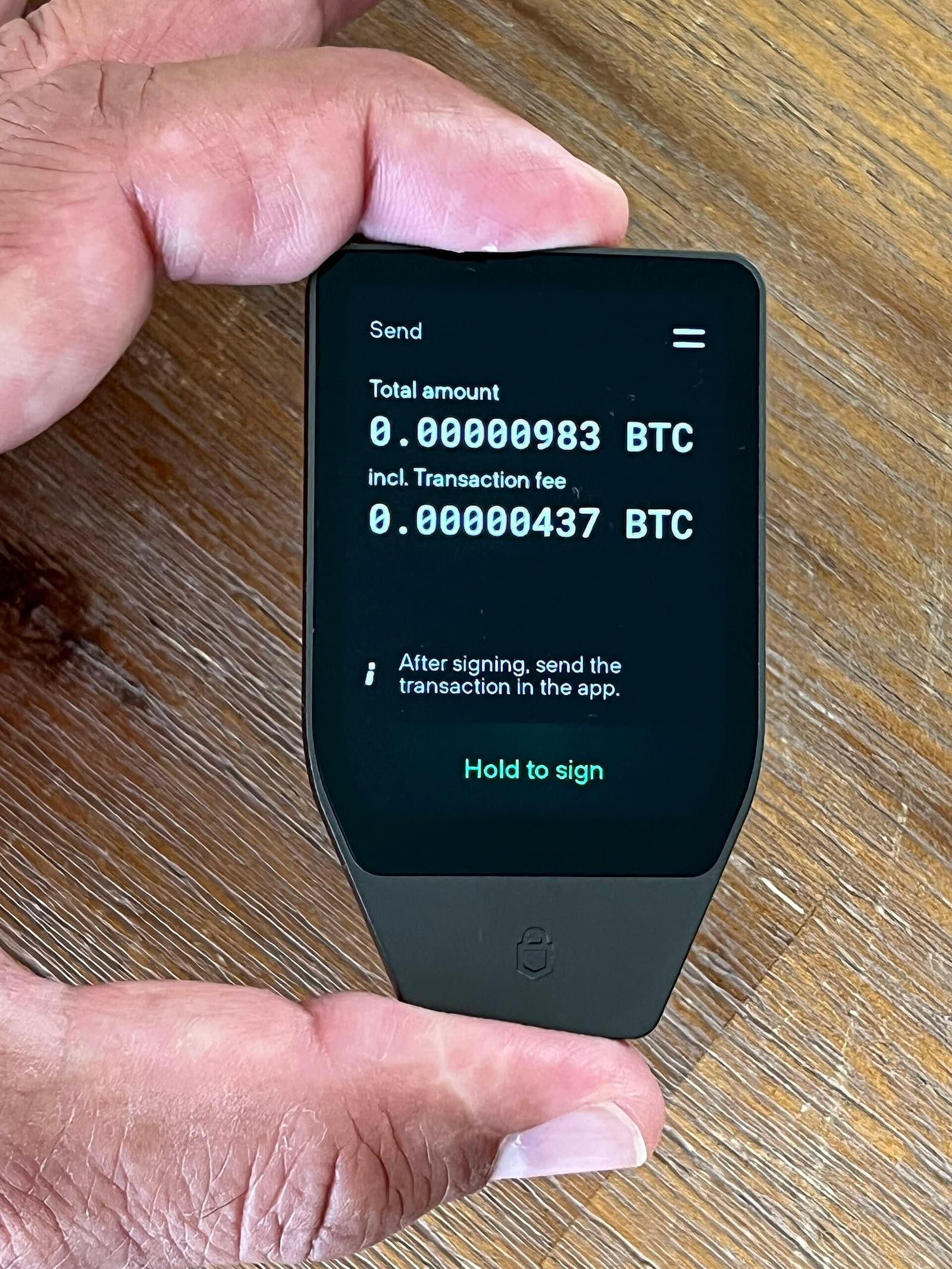
The key is generated on the device and never leaves it. Transactions are sent to the device unsigned, signed inside it, and returned. A keylogger, a clipboard stealer, or an infostealer trawling your machine for wallet files finds nothing usable.
This closes the single most common route to catastrophic loss on a hot wallet. If that is all you take from this, it is enough reason to use one.
What it does not solve
A transaction you approve. The device signs what you confirm. If you confirm a token approval to a drainer contract, the hardware wallet signs it correctly, securely, and irreversibly. The signature is not the vulnerability; the confirmation is.
Blind signing. Many contract interactions cannot be rendered legibly on a small screen, so devices offer a "blind signing" mode that shows a hash rather than a decoded transaction. With it enabled you are confirming that you trust the software that built the transaction — which is the assumption the hardware wallet existed to remove. Leave it off, and turn it on only for a specific interaction you understand.
Approvals you granted before. The device has no memory of your allowances and no ability to revoke them. An unlimited approval signed two years ago on a hot wallet, to a contract later compromised, is still live if that wallet still holds tokens.
Your recovery phrase. The 12 or 24 words reconstruct the key on any device. If they have been photographed, typed into a website, stored in a password manager that was later breached, or read by anyone, the hardware wallet is irrelevant. Every credible support channel will tell you this; no legitimate one will ever ask for the phrase.
A tampered device. Buying second-hand, or from a marketplace listing rather than the manufacturer, introduces the possibility of a device pre-initialised with someone else's seed. A device that arrives with a recovery phrase already printed is compromised by definition — the phrase is supposed to be generated by you, on the device, at setup.
The mental model that helps
A hardware wallet changes the attacker's job from stealing your key to convincing you to press the button. It is a very good answer to the first problem and no answer at all to the second.
That reframing tells you where the remaining work is: it is all in what you agree to, not in how the signature is produced.
Practical setup that closes the gaps
- Buy from the manufacturer. Not a marketplace, not second-hand. Initialise it yourself and confirm the phrase was generated during setup.
- Write the recovery phrase on paper or metal. Never a photo, never a password manager, never a cloud note. The phrase is the wallet.
- Keep blind signing off as the default state, and be suspicious of any site that requires it.
- Read the device screen, not the computer screen. The device screen is the one the malware cannot alter. If the two disagree, the device is right.
- Separate wallets by purpose. A wallet that interacts with new contracts should not be the wallet holding long-term value. Approvals do not cross between addresses.
- Review approvals periodically, using a tool such as Revoke.cash, on every address you have ever used.
The failure mode nobody plans for
Not theft — loss. A device that fails, is lost in a move, or is stored somewhere only you know about, combined with a recovery phrase that was never written down properly, produces exactly the same outcome as an attacker taking the funds.
Test your recovery before you need it: with a small balance, wipe the device and restore from the phrase. If the phrase does not restore, you have found that out while it costs nothing. This is the step almost everyone skips, and it is the one that decides whether self-custody is custody or a slow-motion accident.
What does hardware wallet security actually cover?
Hardware wallet security is the guarantee that your private key is generated inside a device and never leaves it, so malware on your computer cannot read it. That is the entire scope. It is a real and large improvement, and it says nothing about what you agree to sign.
What does it cover, and what does it not?
| Threat | Protected? | Why |
|---|---|---|
| Malware reading your keys | Yes | The key never reaches the computer |
| A drained wallet after you confirmed | No | The device signed what you approved |
| Blind signing a contract call | No | You confirmed a hash, not a transaction |
| An approval granted years ago | No | The device has no memory of allowances |
| A leaked recovery phrase | No | The phrase reconstructs the key anywhere |
| A tampered second-hand device | No | The seed may not be yours |
Four of the six rows are decisions rather than attacks, which is the point: hardware wallet security moves the attacker's job from stealing a key to persuading you to press confirm.
What should you actually do?
- Buy from the manufacturer and initialise it yourself. A device arriving with a phrase already printed is compromised by definition.
- Write the phrase on paper or metal, never a photo or a password manager.
- Keep blind signing off as the default state.
- Read the device screen, not the computer's — the device screen is the one malware cannot alter.
- Test your recovery with a small balance before you rely on it. This is the step almost everyone skips, and it decides whether self-custody is custody or a slow accident.
See also wallet security habits, the web3 security signatures worth refusing, and scam prevention.
What hardware wallet security cannot promise
It cannot promise recovery. The commonest total loss in self-custody is not theft but a device that failed or was lost, combined with a recovery phrase that was never written down properly.
Test the restore path once, with a small balance, before it matters. Wipe the device and restore from the phrase. If the phrase does not restore, you have discovered that at a moment when it costs nothing — and hardware wallet security has done the one thing no attacker-focused checklist covers. Hardware wallet security is worth having and worth understanding the edges of, and the edges are entirely about what you agree to. Buy from the manufacturer, write the phrase down properly, keep blind signing off, read the device screen, and test the restore once. Five habits, and they cover the gap the device leaves.
Separating what you interact with from what you hold
The pattern that limits every failure above: one address for interacting with contracts, another that only ever receives and holds. Approvals do not cross between addresses, so a mistake on the first cannot reach the second.
That separation costs nothing and removes most of the consequence from a bad confirmation. It also makes the hardware wallet's guarantee worth more, because the device now protects a key that signs rarely and predictably rather than one that signs several times a week against contracts you have not read.
Frequently asked questions
- Can malware on my computer steal from a hardware wallet?
- It cannot read the private key. It can propose a transaction that drains the wallet and hope you confirm it, and it can alter what your computer screen shows. This is why the device screen is the one to read.
- Is blind signing ever acceptable?
- For a specific interaction with a contract you have reason to trust, enabled deliberately and turned off afterwards. As a permanent setting it removes most of the benefit of owning the device.
- Where should I store the recovery phrase?
- Somewhere physical, durable and private — paper in a safe, or a metal backup plate. Never a photograph, a cloud note, or a password manager, because all three put the phrase back on the internet-connected machines the device exists to avoid.
- Does a passphrase (25th word) help?
- It creates a separate wallet from the same seed, so a stolen phrase alone does not open it. It also adds a secret you must never forget, since there is no recovery for it. Useful, but only with a genuine plan for remembering it.
Sources
- BIP-39: Mnemonic code for generating deterministic keys — Bitcoin Improvement Proposals
- EIP-712: Typed structured data hashing and signing — Ethereum Improvement Proposals
- Revoke.cash — Revoke.cash
Published by
Riskira
Practical guides and insights about crypto wallet risk, blockchain security, suspicious addresses, transaction safety, Web3 scams, and wallet analysis.
About the publication